Printable daily, weekly, and monthly planner PDFs
These undated planner PDFs cover a day, a week, or a month. Use the daily sheet for time blocks, the weekly sheet for commitments and priorities, or the monthly grid for dates you need to see together. Download the format that fits your printer.
Updated:
Choose your weekly planner
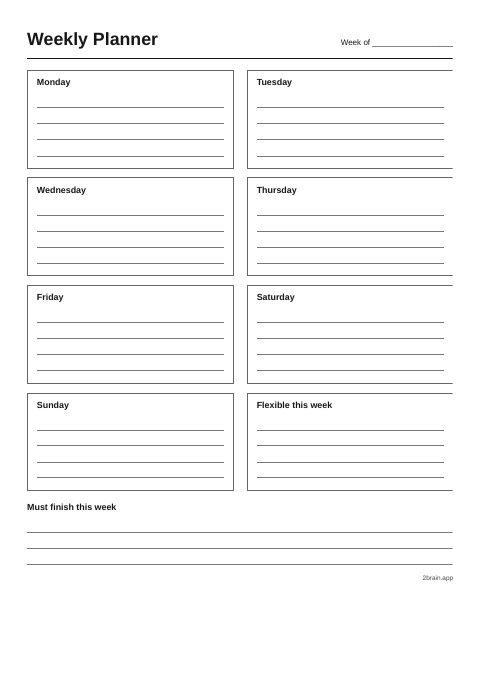 Weekly planner for handwriting
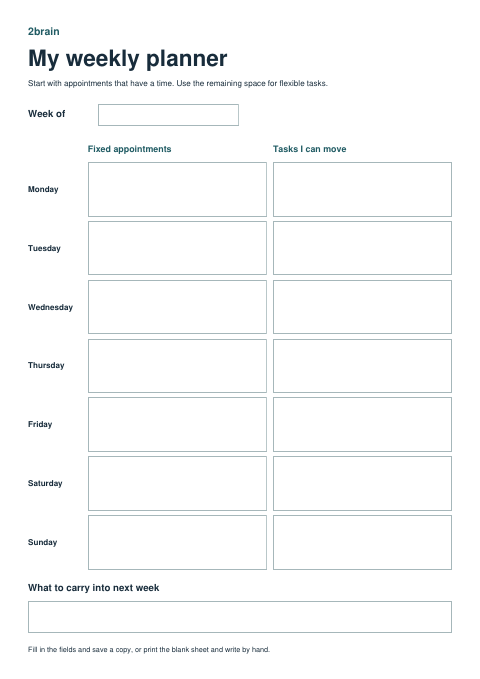 Fillable weekly planner
Download the templates
Choose the page that answers your planning question
- Daily planner: when can I fit this work in today? Use the open schedule to write your own start times. Put the day's outcomes at the top and errands or short tasks on the side.
- Weekly planner: which day can hold this? Write the week’s commitments in the day boxes and use the open space for items you can move.
- Monthly planner: which dates affect each other? Write in the dates and mark deadlines, travel, and recurring events. The grid has six weeks so it fits any month.
One sheet can be enough. If you use two, give each a job. Keep fixed dates on the monthly sheet and use a fresh weekly page for the work those dates create.
How to plan an appointment and a Friday deadline
If your shifts change midweek, use the rotating shift worksheet and completed example. It leaves room for travel time and the person covering pickup.
- On the monthly page, mark the Thursday appointment and the Friday deadline. Look for any preparation that needs a date of its own.
- On the weekly page, give the first draft a Tuesday block and move the errand you had planned for Thursday to Wednesday. Leave a space on Friday for a final check.
- On Tuesday’s page, write “Finish the draft” as one of the day's outcomes. Put it in a block before lunch and add a shorter block for checking the appointment paperwork.
If Tuesday changes, move the draft block to the next slot you can really use. Leave Friday's actual deadline where it is.
Print and reuse the sheets
Select the PDF for your paper size. The daily and weekly sheets are portrait. The monthly grid is landscape. Print one copy first and use your printer's Fit option if a border is cut off.
Write the date or week on the page when you start it. At the end, cross out items that no longer need doing and move the ones you still intend to finish. Reprint the blank page when the next period starts.
Planner template questions
Does the weekly planner start on Monday?
Yes. The weekly planner and monthly grid both run from Monday to Sunday. You fill in the dates.
Can I type directly into these PDFs?
Yes. Download the fillable weekly planner in A4 or US Letter and open it in a PDF reader. Enter a fixed commitment and a flexible task for each day. Save a copy to keep your entries editable. The daily and monthly sheets are designed for printing.
Which sheet should I use to track the same habit all month?
Use the monthly habit tracker PDF. Each habit gets its own row, so you can mark it every time without rewriting the task.
Related resources
Use your paper planner for the overview and keep tasks you want to carry with you in 2brain.